


As part of the Soracom platform, you can easily download your device's Funk usage from the User Console.
Downloading Funk Usage History
You can download a CSV containing the number of times Funk was called and with what communication protocol by each SIM in your account. Monthly and daily reports are available.
-
Sign in to the User Console . From the Menu, open the Service usage history screen.
-
Select your desired time frame for usage history then click the Download button.
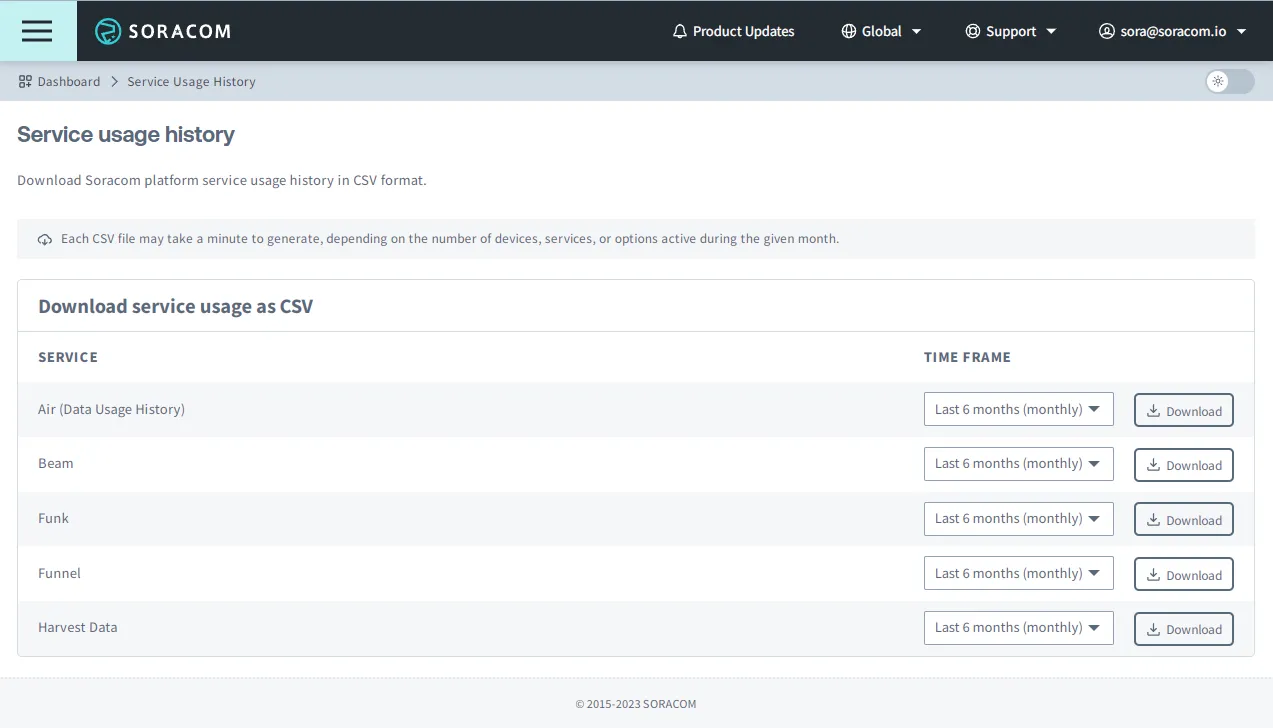
The CSV file may take a couple minutes to prepare. Once it is ready, your browser will automatically begin downloading it.
Two reports are available:

- **Last 6 months (monthly)** - each line contains the total _monthly_ Funk usage of _each_ SIM in your account, dating back 6 months in addition to the current month
- **Last 90 days (daily)** - each line contains the total _daily_ Funk usage of _each_ SIM in your account, dating back 90 days in addition to the current day

You can then open the CSV file in a spreadsheet application, such as Microsoft Excel. You can then sort and filter the spreadsheet in order to calculate totals as needed.